What is React?
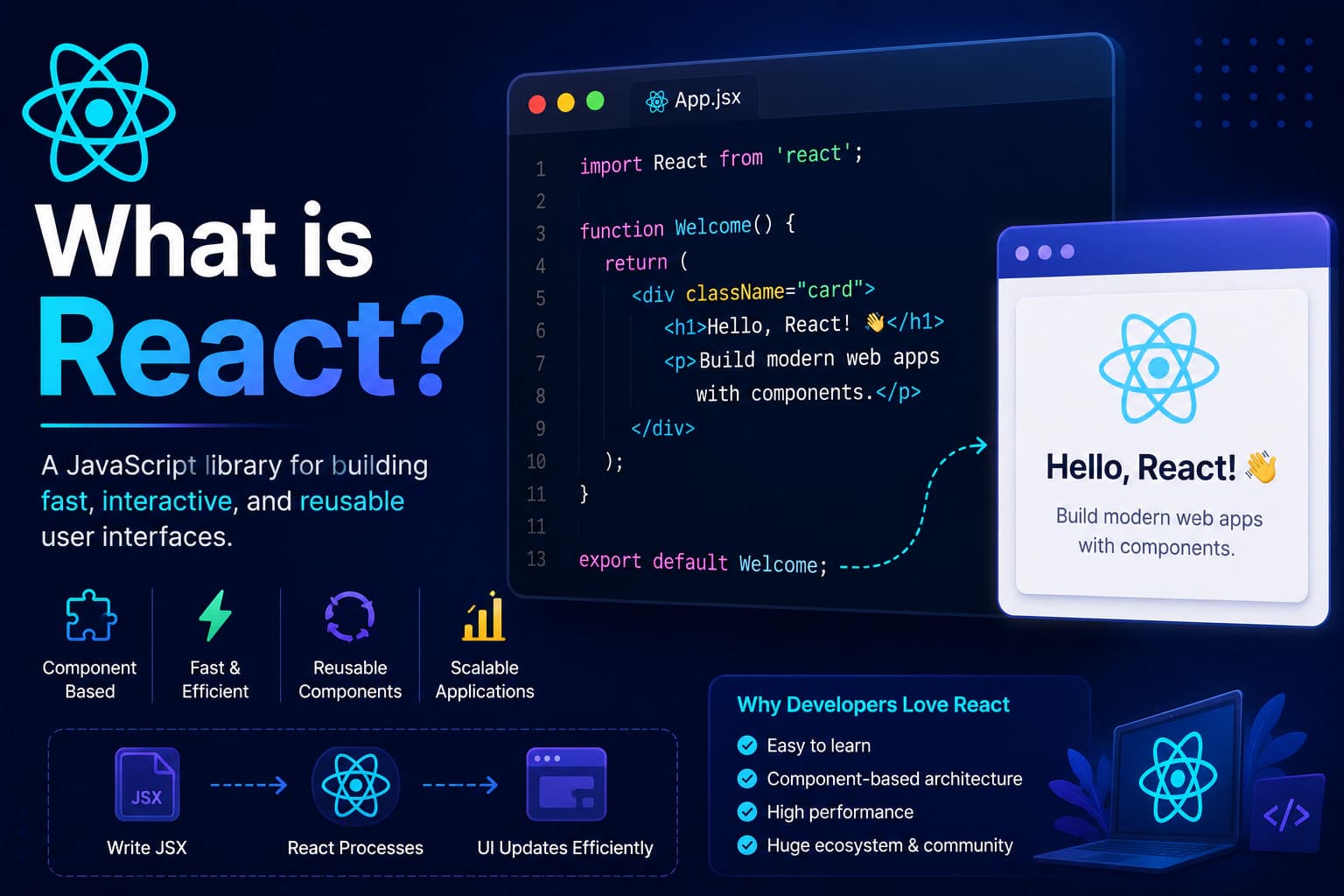
React is an open-source JavaScript library used to build user interfaces (UI), especially for single-page applications (SPAs).
Unlike traditional websites that reload the entire page after every interaction, React updates only the parts of the page that change. This creates a faster and smoother user experience.
React focuses only on the view layer of an application. It doesn't include features such as routing or state management by default. Instead, developers can choose additional libraries that best fit their project requirements.
A simple React component looks like this:
jsxfunction Welcome() { return <h1>Welcome to React!</h1>; } export default Welcome;
This component can be reused anywhere in your application, making development faster and code easier to maintain.
Why Was React Created?
Before React, developers primarily built dynamic web pages using plain JavaScript and libraries like jQuery.
As applications grew larger, maintaining the code became increasingly difficult because:
- UI updates required manual DOM manipulation.
- Code became repetitive.
- Reusing interface elements was challenging.
- Performance suffered as applications became more complex.
To solve these challenges, Facebook introduced React in 2013.
React introduced a new way of building interfaces by breaking them into reusable components and efficiently updating only the parts of the page that change.
This approach made applications:
- Easier to develop
- Easier to maintain
- Faster to render
- More scalable
Today, React powers many of the world's largest web applications.
A Brief History of React
React was created by Jordan Walke, a software engineer at Facebook.
Timeline:
- 2011 — React was first used internally at Facebook.
- 2013 — React was released as an open-source project.
- 2015 — React Native was introduced for mobile app development.
- 2019 — React Hooks simplified state and lifecycle management.
- Today — React continues to evolve with features such as Concurrent Rendering and Server Components.
Thanks to its active community and continuous improvements, React remains one of the most widely used frontend technologies.
Key Features of React
React has several features that make it a popular choice for developers.
Component-Based Architecture
React applications are built using small, reusable components.
For example:
- Navigation Bar
- Footer
- Login Form
- Product Card
- Shopping Cart
- User Profile
Each component manages its own logic and can be reused across different parts of an application.
This reduces duplication and makes projects easier to maintain.
Declarative UI
Instead of manually updating HTML elements, developers describe how the interface should look based on the application's data.
React automatically updates the UI whenever the underlying data changes.
This makes code:
- Cleaner
- More predictable
- Easier to debug
Virtual DOM
One of React's biggest performance advantages is the Virtual DOM.
Instead of updating the browser's real DOM directly, React:
- Creates a lightweight copy called the Virtual DOM.
- Compares it with the previous version.
- Updates only the elements that have changed.
This minimizes unnecessary DOM operations and improves rendering performance.
JSX
React uses JSX (JavaScript XML) to describe user interfaces.
Example:
jsxconst element = <h1>Hello, React!</h1>;
Although it looks like HTML, JSX is actually JavaScript syntax that gets transformed into React function calls during compilation.
JSX makes components easier to read and write.
One-Way Data Flow
React uses one-way data binding.
This means data flows from parent components to child components through props.
This predictable data flow makes applications easier to understand and debug, especially as they grow in complexity.
Reusable Components
One of React's greatest strengths is reusability.
Instead of writing the same HTML multiple times, you create a component once and reuse it wherever needed.
For example, a Button component can be used across dozens of pages while maintaining consistent styling and behavior.
This approach improves maintainability and reduces development time.
How React Works
To understand why React is so popular, it's important to know how it updates the user interface.
Unlike traditional JavaScript applications that manipulate the browser's DOM directly, React introduces an efficient rendering process using the Virtual DOM.
The workflow looks like this:
textUser Action │ ▼ State Changes │ ▼ React Creates New Virtual DOM │ ▼ Compares with Previous Virtual DOM │ ▼ Finds Only the Differences │ ▼ Updates Only Changed Elements │ ▼ Browser Repaints UI
Instead of rebuilding the entire page, React updates only the elements that actually changed.
This makes applications feel much faster and smoother.
What is the DOM?
Before understanding the Virtual DOM, let's understand the DOM itself.
DOM stands for Document Object Model.
Whenever a browser loads an HTML page, it converts the HTML into a tree structure called the DOM.
For example:
html<body> <h1>Welcome</h1> <p>Hello World</p> <button>Login</button> </body>
The browser represents it like this:
textBody │ ├── H1 │ └── Welcome │ ├── Paragraph │ └── Hello World │ └── Button └── Login
Every element on the page becomes an object that JavaScript can manipulate.
The Problem with Direct DOM Manipulation
Imagine an online shopping website.
When a customer adds one product to the cart, only the cart counter should update.
Without React, developers often have to manually locate and update DOM elements.
For example:
javascriptdocument.getElementById("cart").innerText = cartCount;
While this works for small projects, it becomes difficult to manage in large applications with hundreds of interactive components.
Direct DOM updates can also become slower because the browser needs to recalculate layouts and repaint the page.
What is the Virtual DOM?
The Virtual DOM is a lightweight JavaScript representation of the real DOM.
Instead of updating the browser immediately, React first updates this virtual copy.
It then compares the new Virtual DOM with the previous version.
Only the differences are applied to the real DOM.
This process is known as Diffing.
React Rendering Process
The rendering process follows these steps:
textInitial Render React Components │ ▼ Virtual DOM │ ▼ Real DOM │ ▼ Browser Screen
When data changes:
textState Update │ ▼ New Virtual DOM │ ▼ Compare Old vs New │ ▼ Find Differences │ ▼ Update Only Changed Nodes │ ▼ Browser Refreshes Those Elements
This selective update process helps React achieve excellent performance.
Example
Suppose your page contains:
textHeader Products Shopping Cart Footer
The user adds one item to the cart.
React updates only:
textShopping Cart
The header, products, and footer remain untouched.
This minimizes unnecessary rendering and improves responsiveness.
React Reconciliation
The comparison between the old Virtual DOM and the new Virtual DOM is called Reconciliation.
React performs this process automatically whenever:
- State changes
- Props change
- A parent component re-renders
Its goal is to update the UI using the smallest number of DOM operations possible.
Developers don't need to manually optimize these updates in most cases.
Why React is Fast
React's performance comes from several optimizations working together.
Virtual DOM
Only changed elements are updated.
Efficient Diffing Algorithm
React compares trees intelligently instead of rebuilding the entire page.
Component Reusability
Reusable components reduce duplicated code and simplify maintenance.
One-Way Data Flow
Predictable updates make rendering more efficient and debugging easier.
Modern JavaScript Optimizations
React works seamlessly with modern JavaScript features and build tools like Vite, allowing applications to load quickly and efficiently.
React vs Traditional JavaScript
| Feature | Vanilla JavaScript | React |
|---|---|---|
| UI Updates | Manual | Automatic |
| Components | ❌ | ✅ |
| Reusability | Limited | Excellent |
| Performance | Good | Excellent for large apps |
| State Management | Manual | Built-in with Hooks |
| Scalability | Moderate | Excellent |
For small websites, plain JavaScript is often sufficient.
For larger, interactive applications, React offers a more structured and maintainable approach.
When Should You Use React?
React is a great choice for projects that require dynamic user interfaces.
Common use cases include:
- Admin Dashboards
- E-commerce Websites
- SaaS Applications
- CRM Systems
- Learning Platforms
- Social Networks
- Project Management Tools
- Analytics Dashboards
- Customer Portals
If your application involves frequent user interaction or complex state management, React is an excellent option.
When React Might Not Be Necessary
React isn't the best choice for every project.
A simple landing page or a small static website may not need a JavaScript library at all.
For websites with minimal interactivity, plain HTML, CSS, and JavaScript can be simpler and faster to develop.
Choosing the right tool depends on the project's complexity and requirements.
React vs Angular vs Vue
React is one of the most popular frontend technologies, but it's not the only option. Angular and Vue are also widely used for building modern web applications.
| Feature | React | Angular | Vue |
|---|---|---|---|
| Type | Library | Framework | Framework |
| Developed By | Meta | Evan You & Community | |
| Learning Curve | Moderate | Steep | Easy |
| Performance | Excellent | Excellent | Excellent |
| Flexibility | High | Moderate | High |
| Best For | Large & Small Apps | Enterprise Apps | Rapid Development |
React
React focuses on building user interfaces and gives developers the freedom to choose additional libraries for routing, state management, and other features.
Angular
Angular is a complete framework that includes routing, dependency injection, forms, and many other features out of the box. It is commonly used for large enterprise applications.
Vue
Vue is known for its simplicity and ease of learning. It provides many built-in features while remaining lightweight and approachable for beginners.
There is no single "best" choice. The right technology depends on your project requirements, team experience, and long-term maintenance goals.
Companies Using React
React is trusted by startups, enterprises, and some of the world's largest technology companies.
Popular companies using React include:
- Meta (Facebook)
- WhatsApp Web
- Netflix
- Airbnb
- Shopify
- Dropbox
- Discord
- Atlassian
Its widespread adoption demonstrates React's ability to support applications ranging from small websites to large-scale platforms.
Advantages of React
React offers many benefits for developers and businesses.
Reusable Components
Build a component once and use it across multiple pages.
High Performance
The Virtual DOM helps React efficiently update the user interface by changing only the necessary elements.
Strong Community
React has a large global community, making it easy to find tutorials, libraries, and solutions.
Rich Ecosystem
Popular tools that integrate well with React include:
- Vite
- Next.js
- React Router
- Redux Toolkit
- TanStack Query
- Framer Motion
- Tailwind CSS
Excellent Career Opportunities
React remains one of the most requested frontend skills in web development, making it a valuable technology for developers to learn.
Limitations of React
While React is powerful, it also has some limitations.
Only Handles the UI Layer
React focuses on user interfaces. Features such as routing, global state management, and form handling often require additional libraries.
Learning JSX
Developers new to React need to become familiar with JSX, which combines HTML-like syntax with JavaScript.
Fast-Moving Ecosystem
The React ecosystem evolves quickly. New tools and best practices are introduced regularly, so continuous learning is important.
Is React Worth Learning in 2026?
Yes.
React continues to be one of the most widely used technologies for frontend development.
Reasons to learn React include:
- Strong demand in the job market
- Large and active community
- Excellent documentation
- Wide adoption across industries
- Flexible ecosystem
- Suitable for projects of all sizes
Learning React also makes it easier to move into technologies such as Next.js and React Native.
Frequently Asked Questions
Is React a programming language?
No.
React is a JavaScript library used for building user interfaces.
Do I need to learn JavaScript first?
Yes.
A solid understanding of JavaScript fundamentals will make learning React much easier.
Is React difficult to learn?
React has a moderate learning curve. Beginners who understand HTML, CSS, and JavaScript can typically become productive with React in a short time.
Can I build full-stack applications with React?
Yes.
React is commonly used with backend technologies such as:
- Node.js
- PHP
- Laravel
- Django
- ASP.NET
- Java Spring
Can React be used for mobile applications?
Yes.
React Native allows developers to build native mobile applications using React concepts.
Is React free?
Yes.
React is open-source and available under the MIT License.
Conclusion
React has transformed the way developers build modern web applications.
Its component-based architecture, Virtual DOM, and flexible ecosystem make it an excellent choice for projects ranging from simple websites to enterprise-scale applications.
Whether you're a beginner learning frontend development or an experienced developer building complex applications, React provides the tools needed to create fast, maintainable, and scalable user interfaces.
Understanding React fundamentals is the first step toward mastering advanced topics such as Hooks, Routing, API integration, authentication, and full-stack development.
Continue the React Learning Path
Continue with the next guide:
- ✅ What is React?
- ➜ Install React with Vite
- React Project Structure
- JSX Explained
- Components
- Props
- State
- useState Hook
- Event Handling
- Conditional Rendering
- Lists & Keys
- Forms
- useEffect Hook
- React Router
- API Integration
Each article builds on the previous one, creating a complete learning path from beginner to advanced.
Need Professional React Development?
Whether you're building a startup MVP, an enterprise dashboard, or a modern web application, Paridhi Solutions can help.
Our React services include:
- React.js Development
- Next.js Development
- Custom Dashboard Development
- REST API & GraphQL Integration
- Performance Optimization
- UI/UX Implementation
- Ongoing Maintenance & Support
🌐 Website: https://paridhisolutions.com
📧 Email: info@paridhisolutions.com
If you found this guide helpful, consider bookmarking it and sharing it with other developers.